
Queen's Domain Beginner Guide: Survive Your First Hour
Queen's Domain beginner guide: learn combat timing, find early weapons, save safely, uncover hidden routes, and prepare for your first boss on Neasied.
Collect Your Early Weapons and Healing Supplies
A rushed swing or an unsaved detour can cost you an entire expedition on the Isle of Neasied. This Queen's Domain beginner guide covers the opening route, useful equipment, and the mechanics that make those early fights manageable. Your immediate goals are to collect the dagger belt, establish a safe return route, and find the key to the shrine.
1. Take the sword and keep hitting the barricade
Talk to the guard at the starting camp to receive your rusted shortsword, then equip it through your inventory. Break the box beside him for an elixir before leaving.
The wooden barricade blocking the path takes repeated hits to destroy. Keep attacking rather than assuming it requires a key or a different ability. Containers can also take several blows, so one unsuccessful swing doesn't mean an object is indestructible.
Beyond the barricade, look left for a Crystal Monument. Remember this location: it gives you somewhere to secure your discoveries and recover between trips.
2. Find the spear and dagger belt
Head up the stairs into the tower to collect the rusted spear. Its reach gives you another way to manage the space between you and an approaching enemy.
Continue exploring toward the beach and the small offshore island near the shipwreck. Collect the dagger belt and throwing knives, then equip them before heading deeper into the ruins.
Throwing weapons recharge after use. You aren't permanently spending a knife with every throw. Use them against elevated Forest Eyes, to draw an enemy away from a group, or to deal damage while your melee Power Meter recovers.
Additional copies can increase how many throws you have available before waiting for them to return.
Official page: Queen's Domain (store.steampowered.com)
Save Manually at Crystal Monuments

3. Treat saving and resting as separate actions
Crystal Monuments offer two different services:
- Save: Records your progress without triggering the enemy reset caused by resting.
- Rest: Restores health and removes negative status effects, while bringing ordinary enemies back.
Resting does not replace saving. There are no automatic checkpoints protecting your latest pickups or dungeon progress.
Save when you reach a monument. If you rest afterward, save again before leaving to record your recovered condition. After a death, you return to your most recent save and lose progress made since then.
4. Secure valuable finds before extending a trip
Return to a monument after finding important equipment, opening a useful shortcut, or surviving a difficult stretch. Those discoveries are worth protecting even when you still have healing items.
Saving without resting lets you preserve progress without immediately resetting the enemies you've cleared. However, enemies can also return over time, so remain alert when retracing an apparently empty route.
A shortcut back to safety is especially valuable because you can bank progress without repeating the entire outward journey.
Learn the Power Meter Before Fighting Faster
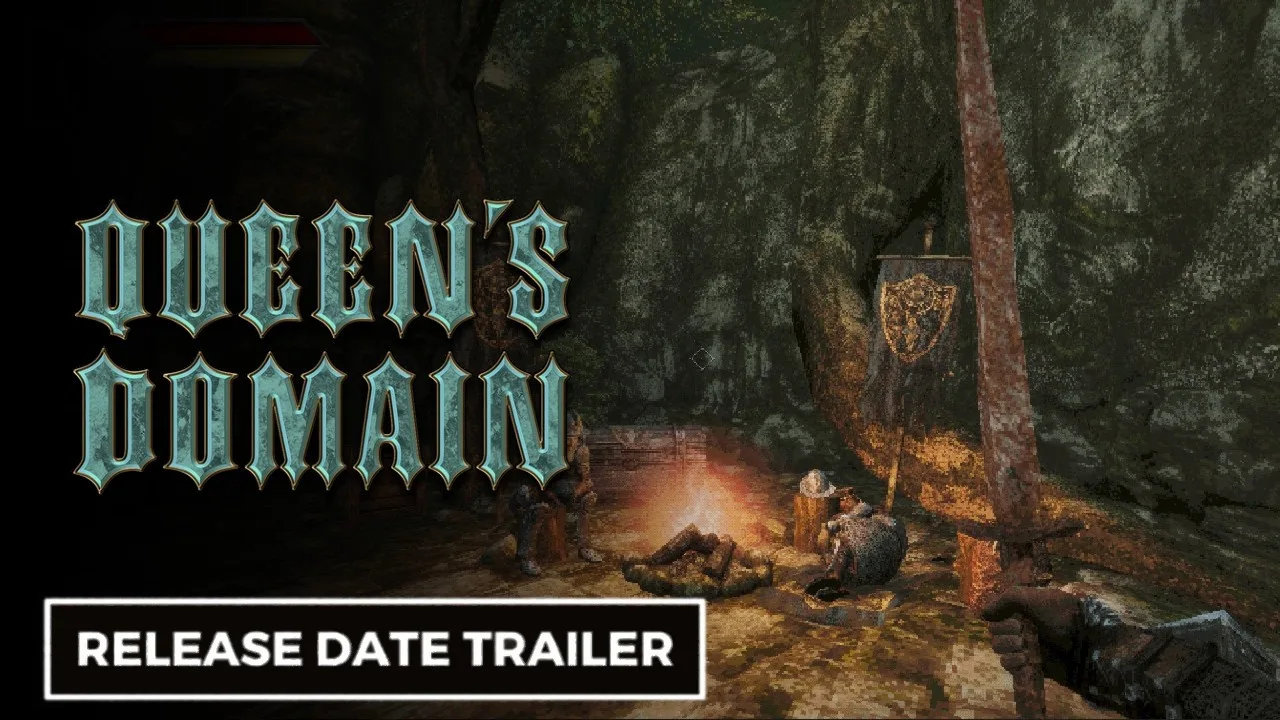
5. Let the yellow bar recover between melee attacks
Your yellow Power Meter determines melee damage. Swinging with a full meter delivers full-strength damage; repeatedly attacking with an almost empty bar produces much weaker hits.
Practice this sequence against an isolated enemy:
- Approach with your Power Meter recovered.
- Land one melee attack.
- Move clear of the enemy's response.
- Let the meter refill.
- Strike during the next safe opening.
Running drains the same meter. You can keep running when it empties, but it won't recover until you stop. Avoid sprinting straight into an attack when you need that opening hit to deal full damage.
6. Charge attacks when you have room
Hold your primary attack to build the blue charge indicator for a stronger strike. You can begin charging while the yellow Power Meter is still recovering.
Charging comes with restrictions: while holding the attack, you cannot run, Wind Dash, or throw weapons. Leave enough distance to finish the preparation safely.
Use throwing knives before beginning a charge, then release your melee attack when the enemy gives you an opening. Starting a long charge within reach of an incoming attack leaves you exposed.
7. Defend through positioning
Watch enemy windups, reach, and recovery. Some attacks can be avoided by backing away; long lunges may require circling or moving across the attack's path instead.
Pull enemies into open space where you can see the ground behind you. Fighting while retreating into a corner removes the room your combat rhythm depends on.
Weapon secondary attacks can include movement, but that movement doesn't grant invincibility. Test each attack somewhere safe before using it to reposition during a dangerous fight.
Carry Different Damage Types and Develop Your Weapons

8. Read damage types in the inventory
Queen's Domain uses slashing, piercing, and impact damage. Enemies have different weaknesses and resistances, so a weapon that handles one creature comfortably can perform poorly against another.
Your early equipment gives you access to all three:
| Early weapon | Damage type |
|---|---|
| Rusted shortsword | Slashing |
| Rusted spear | Piercing |
| Wooden club | Impact |
Check the bestiary when an enemy takes unusually little damage. Then compare the damage type in your weapon's description.
Attack animation doesn't determine damage type. A sword thrust can still deal slashing damage. Some later weapons carry multiple damage types, so read their descriptions before deciding what your equipment covers.
9. Learn a weapon's secondary attack before replacing it
Melee weapons gain experience through use and become stronger as they level. Character experience is separate: defeating enemies raises your character level, increasing base maximum Life Points and Attack Power.
Try new weapons against familiar enemies. Learn their reach, secondary attack, and recovery before relying on them in a cramped passage.
Keep a familiar weapon available while developing an alternative damage type. Replacing everything at once leaves you learning several unfamiliar attacks under pressure.
The October 31 version 1.01.01 patch fixes a freeze when weapons evolve, so install that update before progressing further with weapon development.
Open the Ruins and Reach the Shrine Guardian
10. Use throwing knives on the switches
In the opening ruins, hit the switch with a throwing knife to open a shortcut toward the starting area. Follow that connection back to the Crystal Monument so you understand where it leads.
Return to the ruins and look for the diamond-shaped switch that opens the route downward. In the burial area, inspect the small target set into a diamond-shaped opening on a headstone.
These targets are easy to overlook when you're searching only for loose keys or conventional levers. Aim at the target itself and throw a dagger.
11. Collect the club and shrine key underground
Work through the lower passages and collect the wooden club. Continue exploring to find the Endu shrine gate key, then return to the injured guard and unlock the nearby gate.
Before entering the shrine:
- Equip the wooden club.
- Put herbs and elixirs within easy reach.
- Recover your health at a monument.
- Save your progress manually.
The Shrine Guardian is weak to impact damage, giving the club a clear role in this fight. Keep enough distance to recover between attacks, use throwing weapons when available, and heal when needed.
Defeating the guardian lets you claim the Holy Sword Endu, which opens up aerial traversal.
Use Food, Accessories, and Status Remedies
12. Eat stat-boosting food and equip accessories
Character levels aren't your only source of stronger stats. Food can increase your attributes, and certain meals provide permanent bonuses. Broiled Meat, for example, permanently increases Attack Power by a small amount.
Inspect meals you find in hidden rooms. After eating, check the spot underneath: an early meal conceals a paper pickup.
Review your accessories before entering another difficult area. They can improve your setup through effects such as additional Life Points or resistance to negative status effects. Equip a useful accessory when you find it rather than leaving it idle in your inventory.
13. Check your status when combat suddenly feels wrong
A sudden loss of damage, movement speed, or throwing ability can come from a status effect. Open the Status & Inventory menu and inspect the Status entry before changing your entire loadout.
| Status effect | What it does |
|---|---|
| Poison | Drains Life Points over time |
| Heavy | Slows movement and Power Meter recovery |
| Weaken | Increases damage taken |
| Disease | Reduces damage dealt |
| Sticky | Prevents throwing weapon use |
| Binding | Prevents magic use |
| Paralysis | Prevents movement and attacking |
| Azure Flame | Drains Life Points through burning |
| Magic Rot | Builds up before rapidly draining Life Points |
Heavy directly disrupts the recovery rhythm that melee combat relies on. Disease makes your attacks weaker, while Sticky shuts down the throwing weapons you might otherwise use to create space.
Keep suitable remedies ready before entering areas where these effects recur. Resting at a Crystal Monument also removes negative effects.
14. Keep healing accessible and collect treasure
Put healing items and relevant remedies in your Quick Slots. Remove unnecessary items from that rotation so you can reach what you need with less scrolling.
Use herbs and elixirs when a fight threatens your current progress. Rest at a monument between expeditions when you need to recover without spending supplies.
Collect Ancient Coins and items classified as Treasure. Coins are shop currency, and Treasure can be sold for more. The shop becomes available after the first boss.
Once it opens, consider the Morningstar for 20 Ancient Coins. Its impact and piercing damage complement Endu's slashing damage, giving you broader coverage from those two weapons.
Search for Clues and Keep Track of Routes
15. Inspect walls, bodies, and the ground
Hidden passages reward close inspection. One early secret entrance is hinted at by a skeleton pointing toward a wall. Look where deliberately positioned bodies appear to direct your attention.
Inside secret rooms, break containers and inspect the floor for meals and smaller pickups. After defeating enemies, check where they fell; herbs and other drops can blend into the terrain.
Watch the crosshair, too. It lights up when aimed at something you can interact with, helping you notice objects that don't stand out visually.
When a switch seems to do nothing, examine the surrounding area again. Its effect can be outside the room, including a change to the floor rather than the nearest gate.
16. Navigate with the compass and recognizable landmarks
There is no in-game map. Use the compass alongside landmarks such as the starting camp, tower, shore, and monuments to build a mental route.
Write short notes for unresolved discoveries. Record the nearby landmark, direction, and obstacle: a distant ledge, locked door, unusual statue, or gap beyond your current movement range.
Open shortcuts as you find them, and walk through each new connection once to learn where it returns. Camps and enemy placements can change after progression, so revisit familiar areas with your guard up.
If a secret route leads into enemies far beyond what your equipment can handle, retrace your steps and investigate another branch before committing to repeated attempts.
Practice Endu's Wind Dash and Learn Your Travel Options
17. Revisit gaps after gaining movement upgrades
Endu's Wind Dash lets you cross gaps and reach platforms beyond an ordinary jump. Wind Gems expand your available dash charges, creating new routes through places you've already explored.
Practice on safe ground before attempting a dangerous crossing. Learn how your facing direction affects movement and how far each dash carries you.
Check the dedicated Wind Dash control: the ability remains available when another weapon is equipped. You can choose a melee weapon for the enemies ahead while keeping access to Endu's traversal ability.
Return to the ledges and broken crossings you've noted whenever your movement options improve.
18. Distinguish return items from Wing Altar travel
Travel items serve different destinations, and the consumable options disappear when used:
| Travel option | Destination | Consumed on use? |
|---|---|---|
| Travel Crystal Fragment | The last Crystal Monument where you saved | Yes |
| Wing Altar | Other discovered Wing Altars | No |
| Wing Stone Fragment | Any discovered Wing Altar from your current location | Yes |
Before using a Travel Crystal Fragment, remember where you last saved. That monument determines your return destination.
Discover Wing Altars as you explore to expand your travel network. Keep the distinction between a monument return and Wing Altar travel in mind when choosing how to leave a long dungeon trip.
Continue with
 Queen's Domain Demo Guide: Daggers, Keys & Boss TipsExplore the Queen's Domain demo with a route to the Dagger Belt, shrine key, and boss, plus combat tips that help you save herbs and protect progress.
More in Guide
Queen's Domain Accessories: Stats, Charms, and Shops
Learn how Queen's Domain accessories affect your stats, where to find and buy them, and how to choose resistance bonuses against dangerous island enemies.
Queen's Domain Achievements: All 53 Unlocks and Route
Track 53 Queen's Domain achievements with exact unlock requirements, collectible goals, boss milestones, four endings, and a practical completion route.
Queen's Domain Difficulty: Combat and Survival Tips
Queen's Domain difficulty gets easier when you understand stamina, throwing weapons, and saving. Learn how to survive early fights and find stat upgrades.

Queen's Domain Food Guide: Stat Boosts and Locations
Find Queen's Domain food locations, grab permanent stat boosts, and use Wind Dash to reach hidden meals. Pick up Meal Tickets from each platter you clear.
Join the community
Official channels for news, updates and player help: