
Queen's Domain Special Attacks: Weapons and Upgrades
Master Queen's Domain special attacks with the Rusted Spear, Azure Torch, and Endu. Learn how power, magic charges, and the Storm Gem shape your combat.
Jump to

How Special Attacks Work
Queen's Domain special attacks give your weapons more than another way to deal damage: they can create distance, launch burning projectiles, and carry you across gaps. Learning those moves matters because an empty Power Meter can turn repeated swings into barely effective hits. Start by separating your weapon's secondary attack, a charged primary attack, and Endu's upgrade abilities.
These actions use different resources:
| Attack or ability | Resource or indicator | How it works |
|---|---|---|
| Charged primary attack | Yellow Power Meter and blue charge indicator | Hold the primary attack button to prepare a stronger melee strike |
| Rusted Spear special | Available stamina | Attack while automatically moving backward |
| Azure Torch fireball | Recharging magical energy shown as blue gems | Spend an available charge to launch a projectile that can burn enemies |
| Endu Wind Dash | Diamond charges beneath the Power Meter | Consume a charge to dash; additional Wind Gems add charges |
| Endu ultimate attack | Special Attack Meter | Becomes available after obtaining the Storm Gem |
Some weapons build their special resource over time; others charge it through attacks. Watch the weapon's meter when testing new equipment rather than assuming every secondary move follows the same rules.
Charged attacks and weapon specials are separate
On PC, holding the primary attack button—left-click by default—builds a charged strike. The Power Meter gradually turns blue, and a fully blue meter indicates maximum charge.
Charge when you already have room to finish the swing.
Running also drains your Power Meter. Stop sprinting before committing to melee, then let the yellow bar recover instead of immediately spending another weak swing.
Official page: Queen's Domain (store.steampowered.com)
Use the Rusted Spear to Attack While Retreating
The Rusted Spear's special combines an attack with an automatic backward dash. That movement gives you a practical way to poke an approaching enemy and pull away during the same action, provided you have enough stamina.

Find the spear in a chest inside the coastal tower guarded by a Chilopoda. Collecting the Dagger Belt beforehand gives you a ranged option for dealing with the poisonous creature outside.
Practice the special against an isolated enemy:
- Leave open ground behind you before engaging.
- Let the enemy approach within reach.
- Use the spear's special to attack and move backward.
- Allow your Power Meter to refill before your next melee commitment.
- Throw daggers between attacks when you have charges available.
Watch for walls and long lunges, especially when fighting Skeletal Fighters. Retreating into a corner removes the space this move needs.
Unlock the Azure Torch's Burning Fireballs
The Azure Torch adds a rechargeable magical projectile that can ignite enemies and deal damage over time. It also provides light and activates the island's gargoyle beacons.

After obtaining the Holy Sword Endu, use its air dash to cross the broken bridge toward the Tower of Knowledge. Pick up the glowing Azure Torch near the tower entrance and equip it in a melee weapon slot.
The torch accumulates magical energy while equipped, even when another weapon is active. Its blue HUD gems show available charges. When a gem lights up, switch to the torch and use its secondary attack to fire.
Keep the torch equipped while using another melee weapon so its energy can rebuild between casts. Then switch back when a charge is ready.
Clear the projectile's path
Low obstacles can interfere with a fireball's trajectory. Jump before casting over a rock edge to help the projectile clear it, and use throwing weapons against enemies flying above the torch's useful firing path.
Against separated Skeletal Archers, attack from range with fireballs and daggers rather than walking directly into both archers' attacks. During longer boss fights, apply burning damage when an opening appears, then return your attention to spacing.
Upgrade Endu With Wind Gems and the Storm Gem
The Holy Sword Endu combines combat with traversal. Defeat the Shrine Guardian and collect the sword inside the Endu Shrine to gain access to Wind Dash.
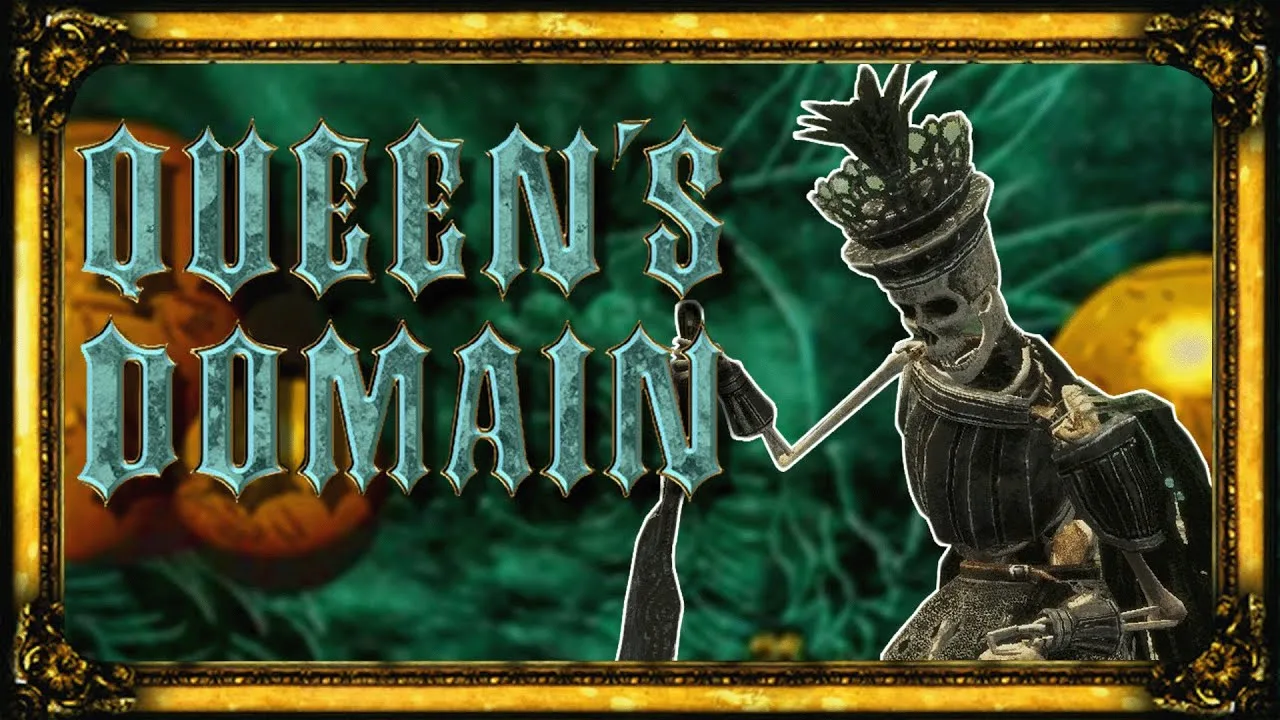
Wind Dash remains usable while another weapon is active. Its diamond charges slowly recover after use, while additional Wind Gems increase the number of consecutive dashes available.
Your early upgrades open specific routes:
- Starting Wind Gem: Comes with Endu and enables its initial air dash.
- Second Wind Gem: Found in a small ruined tower reached from the raised paths near Cemetery Precipice; adds another dash.
- Third Wind Gem: Found inside Obmuer Temple; brings your total to three air dashes.
Use those charges to reposition during combat as well as cross gaps. Against Dagoom the Sea King, dash away from the current and poisoned water instead of remaining in the hazard to finish an attack.
After using it to escape, check your power before immediately swinging again.
Unlock Endu's ultimate attack
The Storm Gem activates Endu's Special Attack Meter. Find it in the Tower of Knowledge, up the large staircase near the upper fast travel point and Wourha's study.
Accessing the tower requires lighting the three gargoyle beacons with the Azure Torch. Once you reach the Storm Gem, collect it to unlock the sword's ultimate attack system.
Endu also evolves through use into stronger forms.
- Version 1.01.01 fixes a freeze when weapons evolve. Install that patch before spending time leveling weapons into new forms.
Match Your Special Moves to Enemy Weaknesses
A special attack's animation does not necessarily change its damage type. A sword thrust can still deal Slash damage. Read the weapon's inventory description and check the Bestiary before choosing your attack.
The three physical damage types are Slash, Pierce, and Impact. You can equip three melee weapons, giving you room to carry different damage types or combine physical coverage with a magical weapon.
Use the Wooden Club's Impact damage against skeletons, including the Shrine Guardian. Keep your distance when the guardian raises its sword overhead; that strike reaches farther than its other attacks.
The Morningstar costs 20 Ancient Coins and deals both Impact and Pierce damage. Pair it with Endu's Slash damage and the Azure Torch to cover the three physical types while retaining a rechargeable fireball.
Keep throwing weapons available alongside that setup. The Dagger Belt initially supplies three Throwing Daggers that recharge over time, and additional copies increase how many you can throw before waiting. Use a dagger to pull one enemy away from a group, then fight it where you have space to recover between melee attacks.
Check Status Effects When an Ability Stops Working
Check the weapon's charge meter before attempting another special attack. Open Status & Inventory when your usual combat rhythm suddenly breaks.
Resting at a Crystal Monument removes negative status effects and restores health, but also respawns enemies. Saving is a separate action. After collecting a new weapon or upgrade, manually save so a later death does not erase it.
Continue with
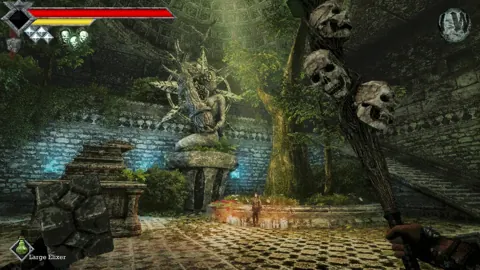 Queen's Domain Stamina: Power Meter and Combat TipsLet the yellow Power Meter beneath your health bar recover before your next melee strike. Repeated swings with an empty meter deal less damage.
More in Combat
See all Combat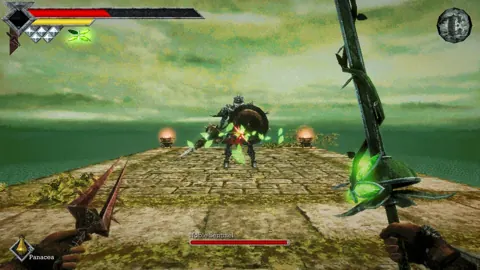
Continue exploring

Queen's Domain All Hidden Passage Guide: Early Secrets
Queen's Domain all hidden passage guide: find three secret walls, collect Pandora's sword, and unlock overlooked routes through the Tower of Knowledge.
Queen's Domain Exploration Guide: Unlock Every Route
Use this Queen's Domain exploration guide to find Endu, unlock Wind Dashes, collect permanent upgrades, and reach Obmuer Temple without losing progress.
Join the community
Official channels for news, updates and player help: