
Queen's Domain Ultrawide: Aspect Ratios and HUD Guide
Queen's Domain ultrawide support explained: learn about the planned unlocked aspect ratio, centered HUD, and demo black bars before using a wide monitor.
Jump to
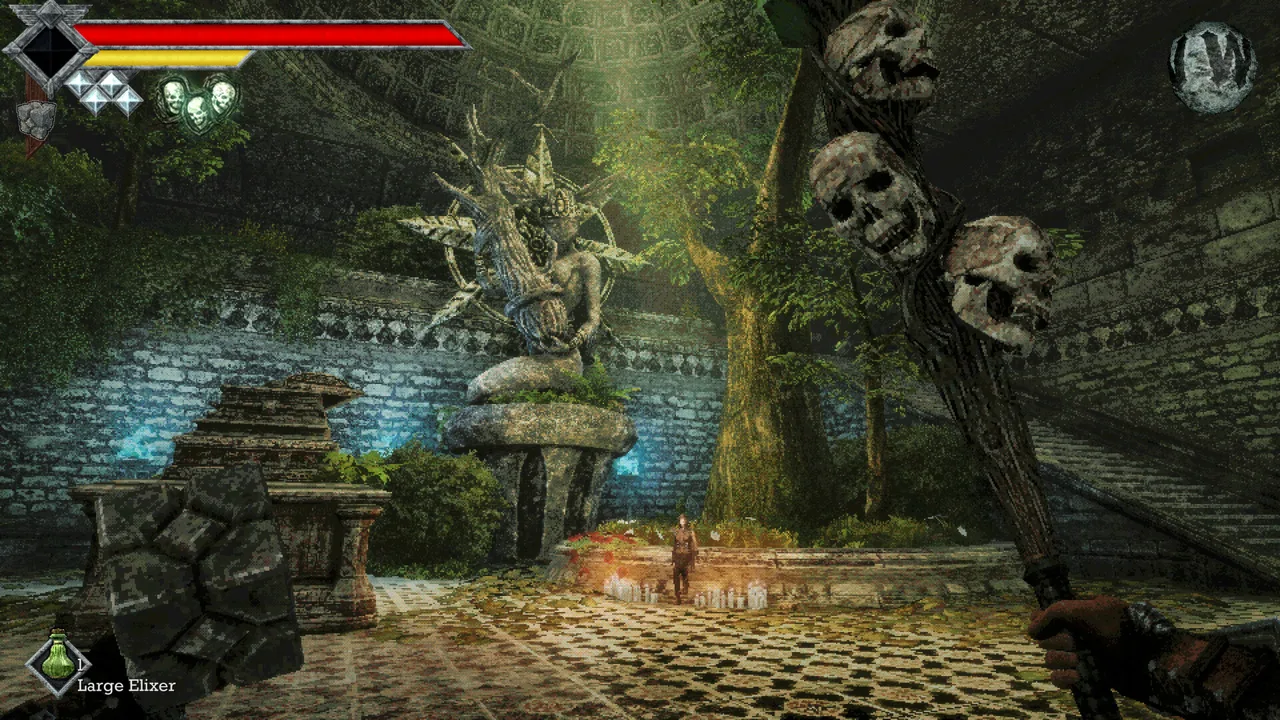
Does Queen's Domain Support Ultrawide?
Queen's Domain ultrawide support was announced for the full release, with an unlocked aspect ratio option. The important distinction is how the gameplay view and interface fit your screen. A HUD positioned within a central 16:9 area can leave the wider gameplay view visible around it.
The announced display options cover three behaviors:
- Unlocked aspect ratio: An option intended to accommodate different screen proportions.
- Locked aspect ratio presets: Several fixed options, including 4:3.
- Adaptive interface placement: The UI stays within a 16:9 area on ultrawide displays, while the HUD rearranges for 4:3 and other narrower ratios.
For an ultrawide setup, that central interface placement matters. Health indicators and other HUD elements do not need to reach the outer edges of the monitor for the game world to fill a wider view. Judge the rendered scene separately from the position of the interface.
The Windows hardware requirements give you another practical checklist before setting up the game:
- Minimum processor: Intel Core i5 quad core, 2.5ghz.
- Minimum memory: 4 GB RAM.
- Minimum graphics: NVIDIA GTX 760 / AMD RX 560.
- Recommended processor: Intel Core i5 quad core, 3.5ghz.
- Recommended memory: 6 GB RAM.
- Recommended graphics: GTX 1060 / AMD RX 580.
Both requirement levels use Windows 10 and require a 64-bit processor and operating system. They also specify DirectX Version 11 and 1500 MB of available storage. Compare your hardware against the minimum and recommended requirements separately from checking whether the gameplay image fills your monitor.
The game also includes full controller support, with DualShock and DualSense support. That matters if your desktop setup pairs a wide display with a controller rather than a keyboard and mouse. Other PC features include Steam Cloud, Steam Achievements, and Family Sharing.
For handheld players, the October 29, 2026 announcement identified the game as Steam Deck and Steam Machine “Verified.” That platform status is separate from the announced aspect ratio controls for wider desktop displays.
Why the Demo's Black Bars Need a Separate Look
The early demo had ultrawide complaints dating back to December 2025. Later, results differed between setups: one ultrawide setup worked, while another displayed a 21:9 graphics menu but kept black bars during gameplay.
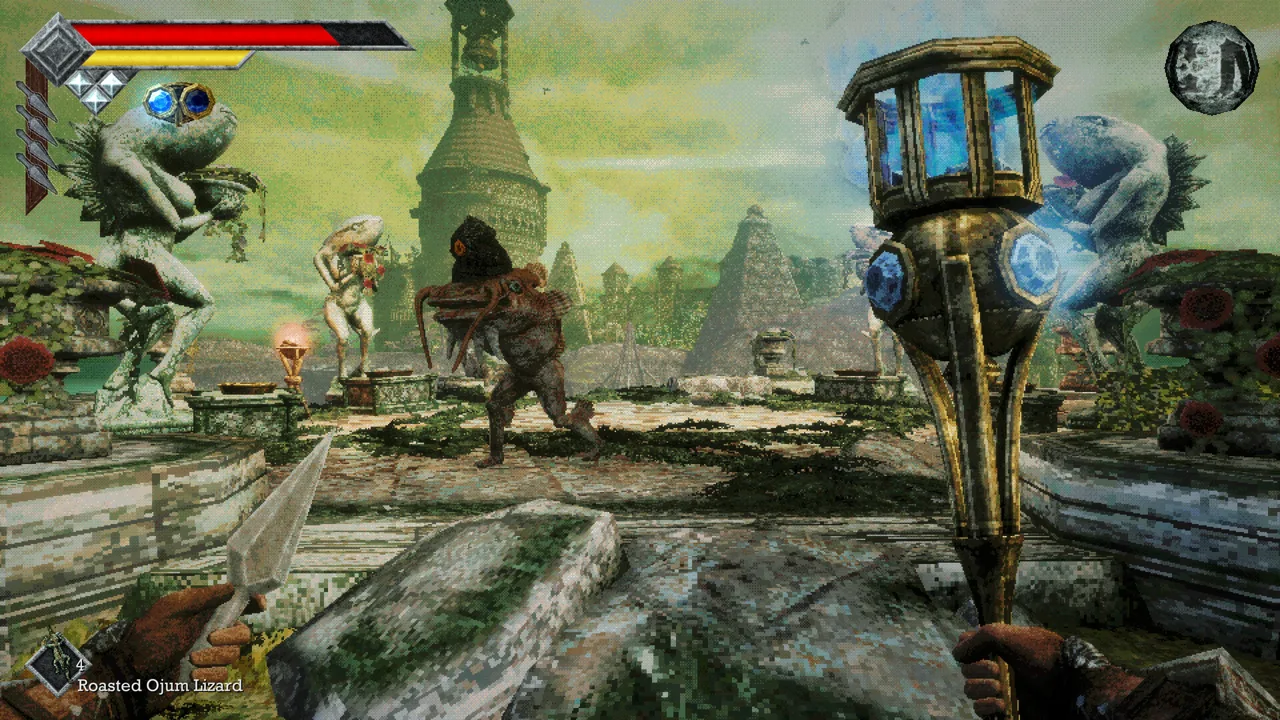 Image: Steam / Freshly Baked Games LLC
That menu-versus-gameplay difference is the useful detail when checking your own display. A menu filling the screen does not tell you how an exploration area will render. Compare the actual gameplay image with the menu, and distinguish black bars covering the sides from a HUD that simply stays near the center.
Keep the demo and full game separate when comparing behavior:
- Full-game release: October 30, 2026.
- PC platform: Windows.
- Demo: A separate download from the full game.
The full game's October 31, 2026 version 1.01.01 patch addresses specific gameplay problems. Its fixes cover a soft lock in Pit of Despair, freezing when weapons evolve, the Executioner door getting stuck, and a Mimic freeze bug. It also adds missing water return pits around Neasied and fixes Star Lizard bags getting stuck in midair after dropping.
Those changes belong to the full game's update history. The demo has its own numbered hotfixes, including Demo 1.0.3, which changes menu behavior alongside combat and movement details:
- Controller navigation: A language-selection bug when using a controller was fixed.
- Brightness: The minimum brightness value was decreased to prevent the menu from becoming impossible to see.
- Airborne movement: Holding the run key while in the air no longer drains stamina.
- Low-health screen effect: Regenerating life point abilities now clear that effect correctly.
- Damage display: Minimum damage on hit was corrected to match the power bar.
For a display-related comparison, the demo's brightness adjustment is particularly relevant to menu visibility, while the controller fix concerns language selection. Keep those specific changes attached to Demo 1.0.3 when discussing that build.
Check which version you are launching before comparing your results with those earlier demo experiences. Visit Queen's Domain on Steam to access the full game or its separate demo.
Continue with
 Queen's Domain Steam Deck: Verified Status & ControlsQueen's Domain Steam Deck support includes Verified status, readable text, and working handheld controls. Explore compatibility details before you sail.
More in Platforms
See all PlatformsPopular pages
Queen's Domain Achievements: All 53 Unlocks and Route
Track 53 Queen's Domain achievements with exact unlock requirements, collectible goals, boss milestones, four endings, and a practical completion route.
Queen's Domain Beginner Guide: Survive Your First Hour
Queen's Domain beginner guide: learn combat timing, find early weapons, save safely, uncover hidden routes, and prepare for your first boss on Neasied.
Queen's Domain Release Date: Launch, Price & Platforms
Queen's Domain release date is October 30, 2026. Explore launch pricing, PC requirements, console platforms, and the free demo before heading to Neasied.
Queen's Domain Accessories: Stats, Charms, and Shops
Learn how Queen's Domain accessories affect your stats, where to find and buy them, and how to choose resistance bonuses against dangerous island enemies.
Join the community
Official channels for news, updates and player help: