
Queen's Domain System Requirements: Can Your PC Run It?
Queen's Domain system requirements: compare minimum and recommended PC specs, RAM, graphics cards, storage space, and Steam Deck performance before buying.
Jump to
What PC Specs Do You Need?
Queen's Domain system requirements start at 4 GB RAM, a quad-core Intel Core i5 running at 2.5 GHz, and an NVIDIA GTX 760 or AMD RX 560. Those hardware targets put older gaming PCs in the running for its sprawling island adventure. Compare your whole system against both tiers before deciding whether your current setup needs an upgrade.
The Windows version launched on October 30, 2026. Both hardware tiers require a 64-bit processor and operating system, Windows 10, and DirectX 11.
| Component | Minimum | Recommended |
|---|---|---|
| Operating system | Windows 10, 64-bit | Windows 10, 64-bit |
| Processor | Intel Core i5, quad-core, 2.5 GHz | Intel Core i5, quad-core, 3.5 GHz |
| Memory | 4 GB RAM | 6 GB RAM |
| Graphics card | NVIDIA GTX 760 / AMD RX 560 | NVIDIA GTX 1060 / AMD RX 580 |
| DirectX | Version 11 | Version 11 |
| Available storage | 1500 MB | 1500 MB |
The recommended tier raises CPU speed, memory, and graphics requirements while keeping the same storage footprint. Use that column as your comparison target when evaluating a PC for the game.
Check these components together. A system with enough RAM still needs to meet the processor and graphics requirements, and a faster processor alone does not bring an older graphics card up to the recommended tier.
How Much Storage and Memory Does It Need?
Set aside 1500 MB of available storage for either hardware tier. That compact footprint accompanies a substantial adventure: interconnected environments, more than 50 melee weapons, and over 100 enemies, mini bosses, and bosses.

Memory requirements are separate from storage. The minimum calls for 4 GB RAM, while the recommended configuration uses 6 GB RAM. Freeing drive space does not increase your system memory, so compare both values when checking a laptop or older desktop.
The native desktop release supports Windows. For a handheld option, Steam Deck has its own compatibility status and performance considerations.
Steam Deck Compatibility and Launch Performance
Queen's Domain is Steam Deck Verified, with that status announced on October 29, 2026. Full controller support also makes a gamepad an option for playing through the PC version.

Launch performance on Deck has been uneven. Frame rates have dropped into the 30s during some sessions, including beyond the opening area, while other sessions have remained smooth apart from occasional drops. Stuttering and inconsistent frame times have also affected play.
Keep those launch conditions in mind if a steady 60 FPS is essential to you. Lowering resolution has not consistently resolved the slowdowns, so avoid relying on resolution changes alone to deliver smooth performance.
You can download the Queen's Domain demo on Steam to try its combat, controls, and exploration on your hardware. Keep the demo's performance separate from the full release when judging the handheld experience.
Launch Patch Fixes and Protecting Your Progress
The October 31 update, version 1.01.01, fixes freezes during weapon evolution and a Mimic-related freeze. It also addresses a soft lock in the Pit of Despair and a stuck Executioner door.

Version 1.01.01 also fixes missing water return pits around Neasied and Star Lizard bags getting stuck in midair.
Install that update before starting a long session. Those fixes matter in an exploration-heavy RPG where retracing your route can take time.
Save manually at Crystal Monuments after major objectives and before pushing deeper into unfamiliar areas. Death returns you to your most recent save, costing any progress made afterward. Saving and resting are separate choices: resting restores health but also respawns enemies, so use the save option when you simply want to secure your progress.
Resting also clears negative status effects. Enemies can respawn over time even without resting, so stay alert when revisiting cleared routes.
Continue exploring
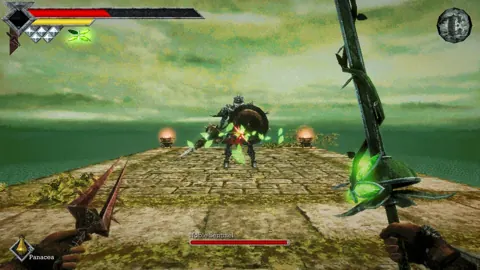
Queen's Domain Combat Guide: Hit Harder, Take Less
Use this Queen's Domain combat guide to master the power meter, exploit enemy weaknesses, choose early weapons, and prepare for tougher fights and bosses.
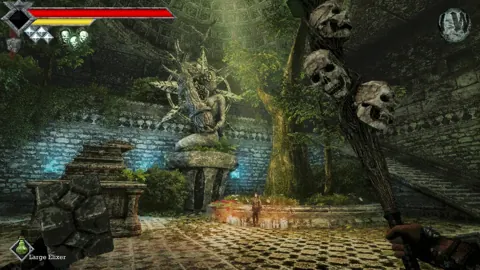
Queen's Domain Exploration Guide: Unlock Every Route
Use this Queen's Domain exploration guide to find Endu, unlock Wind Dashes, collect permanent upgrades, and reach Obmuer Temple without losing progress.
Join the community
Official channels for news, updates and player help: